
DexBots spot bots trade on the Binance and Bybit spot markets - they buy and sell the coins themselves, without leverage. That is calmer than futures, but spot has its own specifics: the fee is charged in the base coin, and for Spot Short the coin must already be on your balance. Below: how spot differs from futures, the pros and cons, how to create a spot bot and how Spot Short works.
Important: crypto trading involves risk. Without leverage the risk is lower, but it does not disappear: the coins you bought may stay below the purchase price for a long time. The examples in this article are illustrations, not a forecast or investment advice.
1. Spot vs futures: what is different
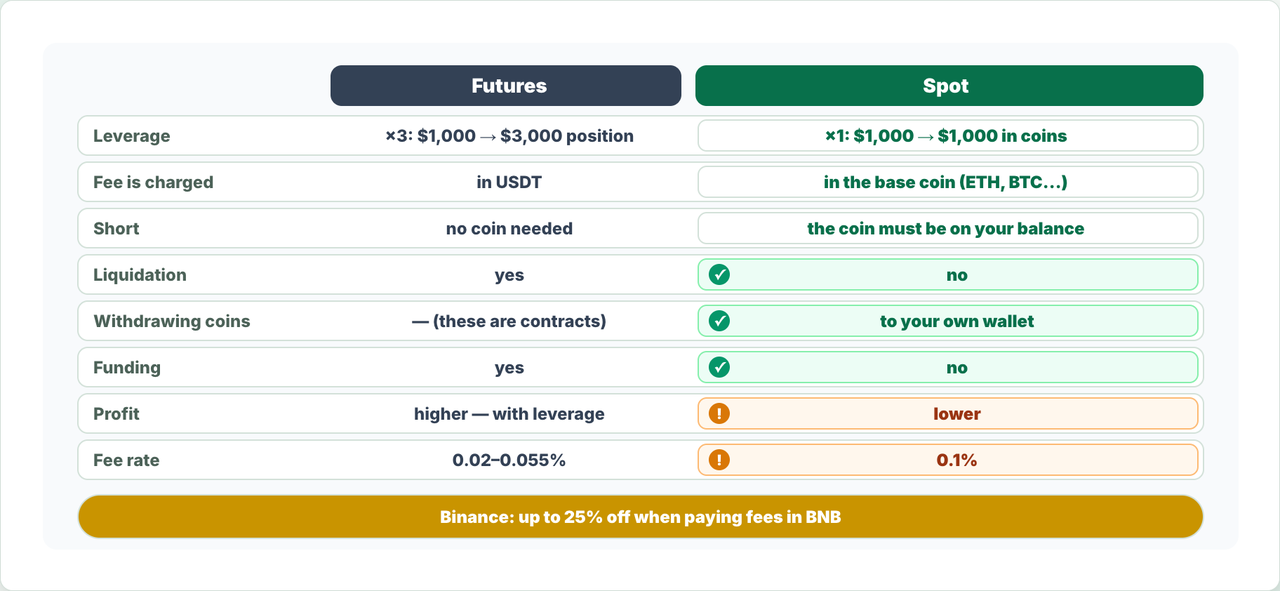
The main difference is leverage. A futures bot opens a position larger than its deposit: with ×3 leverage a $1,000 deposit gives a position of up to $3,000. A spot bot buys coins with your own money only: a $1,000 deposit is exactly $1,000 in coins.
| Parameter | Futures | Spot |
|---|---|---|
| Leverage | Yes (×2, ×3, ×5…): the position is larger than the deposit | No, always ×1: the position equals the deposit |
| Fee is charged | In USDT | On a purchase - in the base coin (ETH, BTC…) |
| Short | No coin needed - it is a contract | The coin must already be on your spot balance |
| Liquidation | Yes | No |
| Withdrawing bought coins | Not possible - these are contracts | You can withdraw them to your own wallet |
| Funding | Regular payments for holding a position | No |
| Profit with the same deposit | Higher - thanks to leverage (and higher risk) | Lower |
| Default fee rate in DexBots | 0.02% maker / 0.05–0.055% taker | 0.1% |
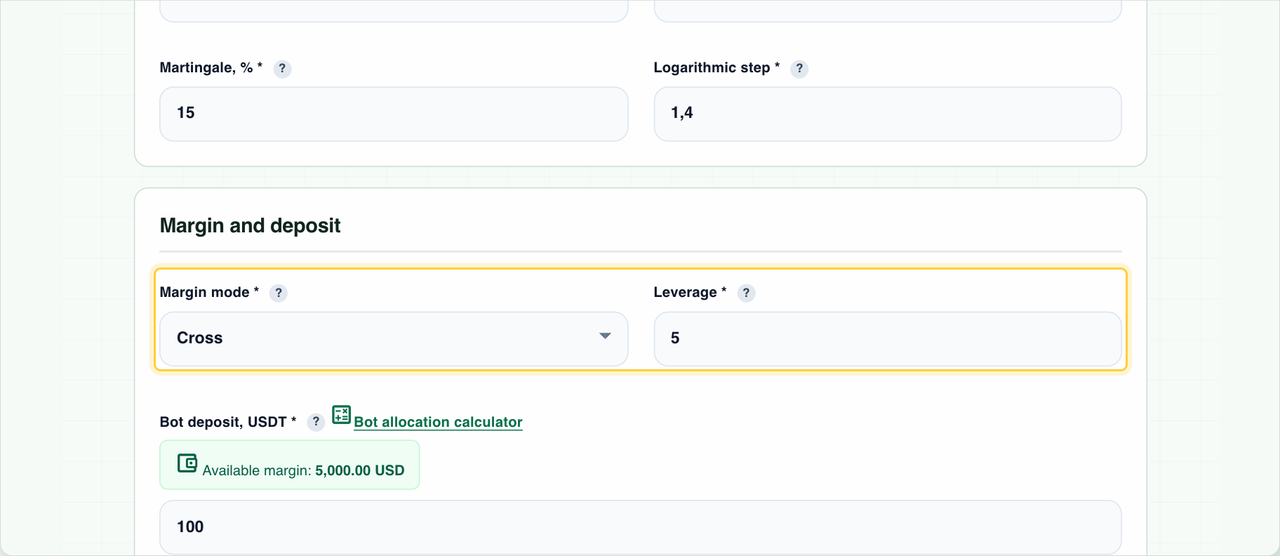
You can see it in the bot form right away: with a Binance Spot or Bybit Spot key the “Leverage” and “Margin mode” fields disappear - on spot the leverage is always 1 and the margin mode is Cross.
2. A Binance Spot or Bybit Spot API key
A spot bot needs an API key with the exchange type Binance Spot or Bybit Spot:
- On the exchange, create an API key with spot trading and balance reading permissions. Keep withdrawals disabled and add the IP restriction 51.77.65.99, 51.195.84.58, 51.195.8.24, 51.195.3.246, 51.195.3.241.
- In DexBots, open the API keys page → “Add API key” and choose Binance Spot or Bybit Spot in the “Exchange” field.
- Paste the API Key and API Secret, save the key and check it with “Check API”.
- Fund your spot account: USDT for Spot Long, the base coin (for example, ETH) for Spot Short.
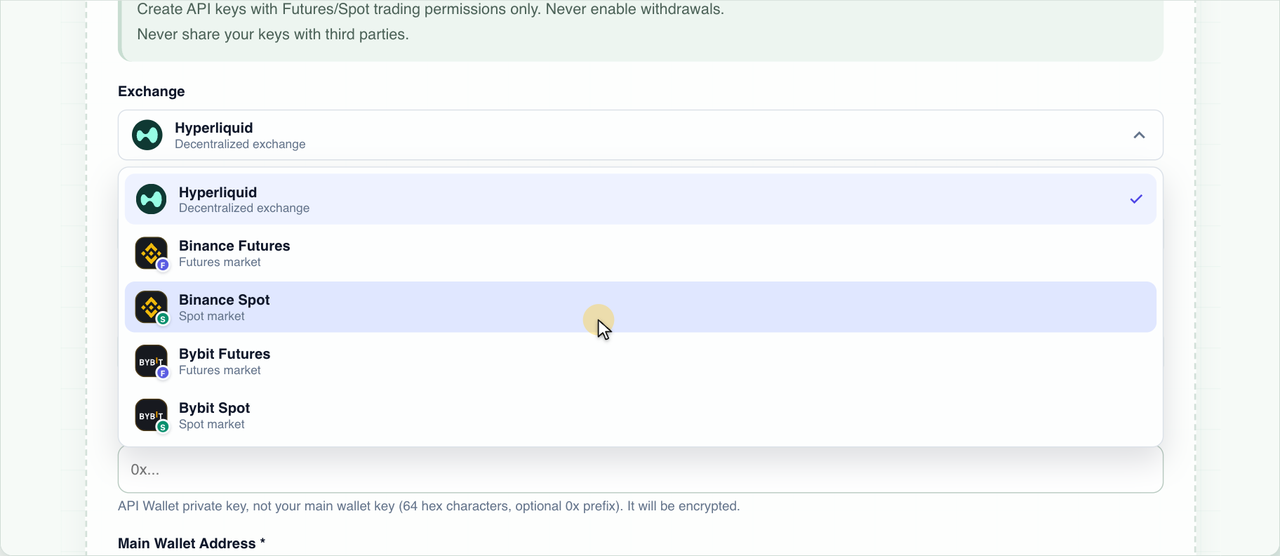
Step-by-step guides for each exchange are in the “Read also” section at the end.
3. The fee is charged in the base coin
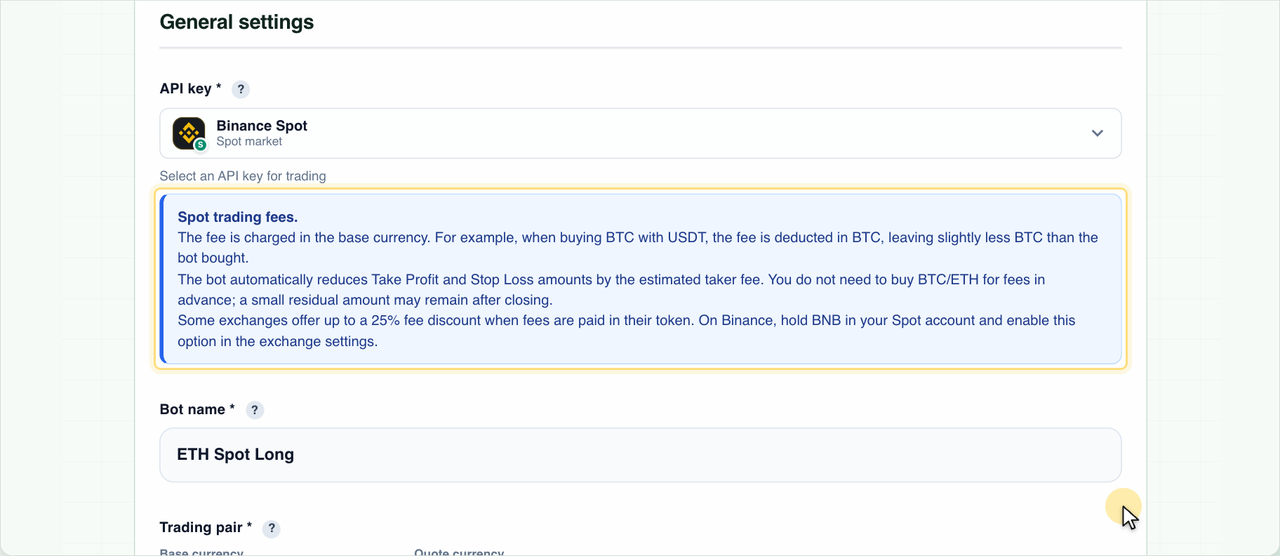
On spot, the exchange takes the purchase fee in the coin you buy. For example, the bot bought 1 ETH for USDT with a 0.1% fee - your balance will show 0.999 ETH, not 1 ETH.
| Step | Amount |
|---|---|
| The bot bought | 1 ETH |
| Fee 0.1% (charged in ETH) | 0.001 ETH |
| Left on the balance | 0.999 ETH |
| Take Profit sells | ≈ 0.999 ETH |
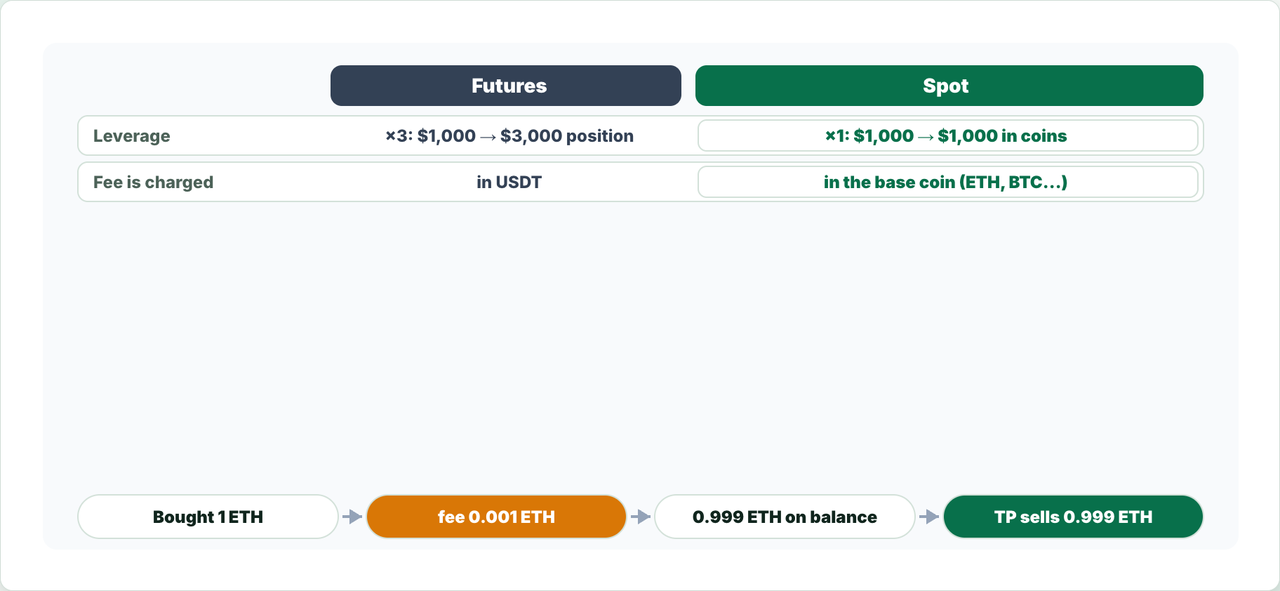
The bot takes this into account by itself: the Take Profit and Stop Loss amounts are reduced by the estimated fee. You do not need to buy extra coin for the fee in advance. After the trade closes, a small technical remainder of the coin may stay on the balance.
Spot fees are usually higher than on futures: the base rate is 0.1% versus 0.02–0.055%. On Binance you can get a discount of up to 25% by paying fees in BNB: buy BNB, keep it on your spot account and enable this option in your Binance settings.
4. Pros of spot bots
No liquidation
Without leverage a position cannot be liquidated: however far the price falls, the coins you bought stay on your account, and the bot keeps working along its grid. An example is the crash of October 10, 2025: within a few minutes many coins fell by 60–80% and bounced back almost immediately.
| Coin (Binance Spot) | Price before the crash, USDT | Low, USDT | Drop | 30 minutes after the low |
|---|---|---|---|---|
| SUI | 3.2630 | 0.5597 | −83 % | −24 % |
| ONDO | 0.8339 | 0.2552 | −69 % | −21 % |
| AAVE | 260.06 | 79.51 | −69 % | −15 % |
| AVAX | 26.68 | 8.52 | −68 % | −17 % |
| ADA | 0.7750 | 0.2737 | −65 % | −21 % |
| LINK | 20.67 | 7.90 | −62 % | −17 % |
| DOGE | 0.23447 | 0.09500 | −60 % | −22 % |
Price before the crash - 20:30 UTC; Binance Spot 1-minute candles. The last column is the price 30 minutes after the low relative to the price before the crash.
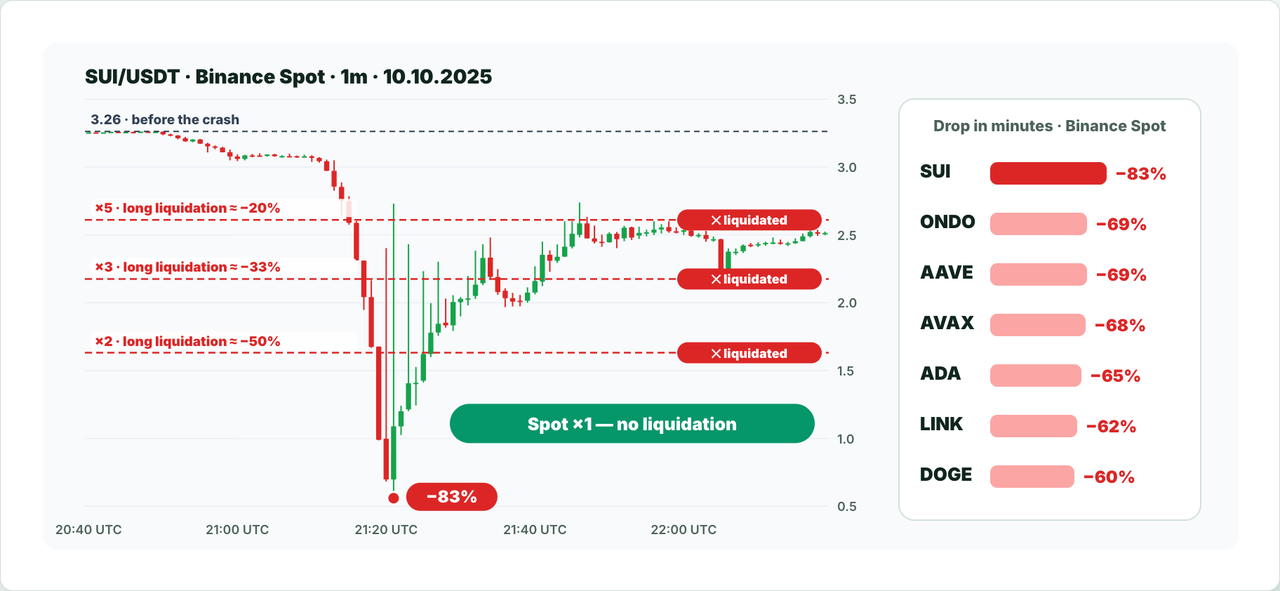
Leveraged positions were liquidated en masse in those minutes: a simple long position with ×5 is liquidated after a drop of roughly 20%, ×3 after 33%, ×2 after 50%. A spot bot simply survives such a candle: its grid orders fill on the way down, and the coins stay yours.
The coins are yours
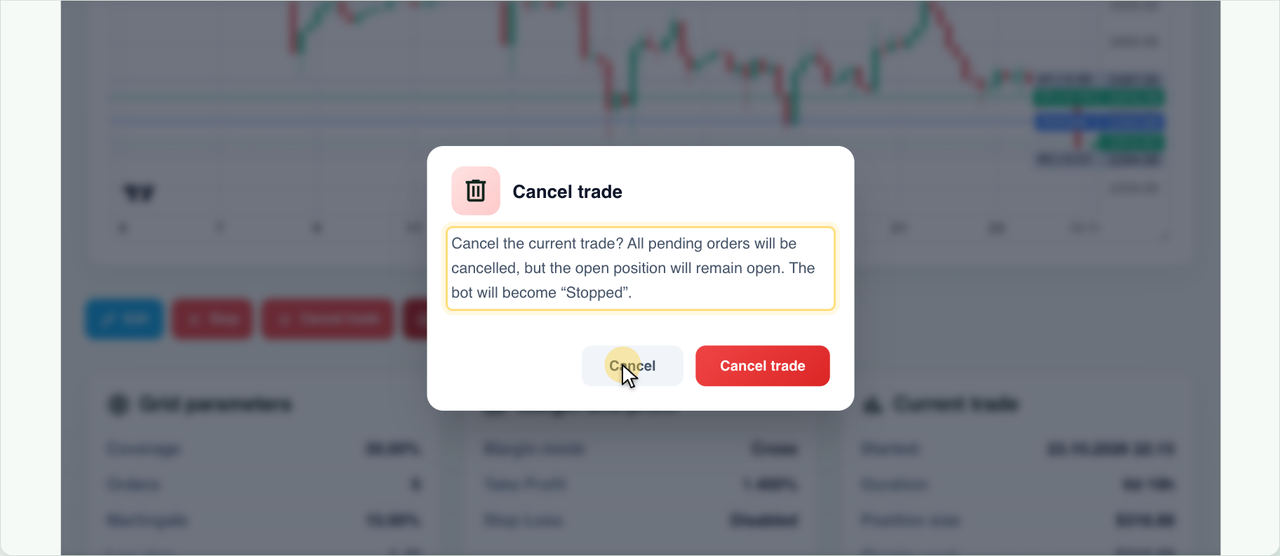
The coins bought by a spot bot are on your spot account. If you need to stop a bot that is in a trade, the bot’s “Details” page has two buttons:
| Button | What happens |
|---|---|
| “Cancel trade” | The bot cancels its pending orders and becomes “Stopped”. The bought coins stay on your spot account - you can keep them or withdraw them to your own wallet. |
| “Close at market” | The bot cancels the trade’s orders and sells its amount at market - you get USDT. |
No funding
On futures, position holders regularly pay funding. There is no funding on spot: the coin simply sits on your account, however long the trade lasts.
5. Cons and risks
Lower profit
Without leverage the position is smaller, so the profit is smaller too. With a $1,000 deposit and a 2% Take Profit a spot bot earns about $20, while a futures bot with ×3 leverage and the same grid earns about $60. But its risk is just as many times higher.
Higher fees
The base spot rate is 0.1% per trade - 2–5 times more than on futures. The fee is paid on both buying and selling, so with a small Take Profit it noticeably reduces the profit.
A long market decline
The main spot risk remains: if the market falls for a long time, the bot may hold coins that have lost value for months until the price returns to Take Profit. Some coins take months to recover, and some never recover at all.
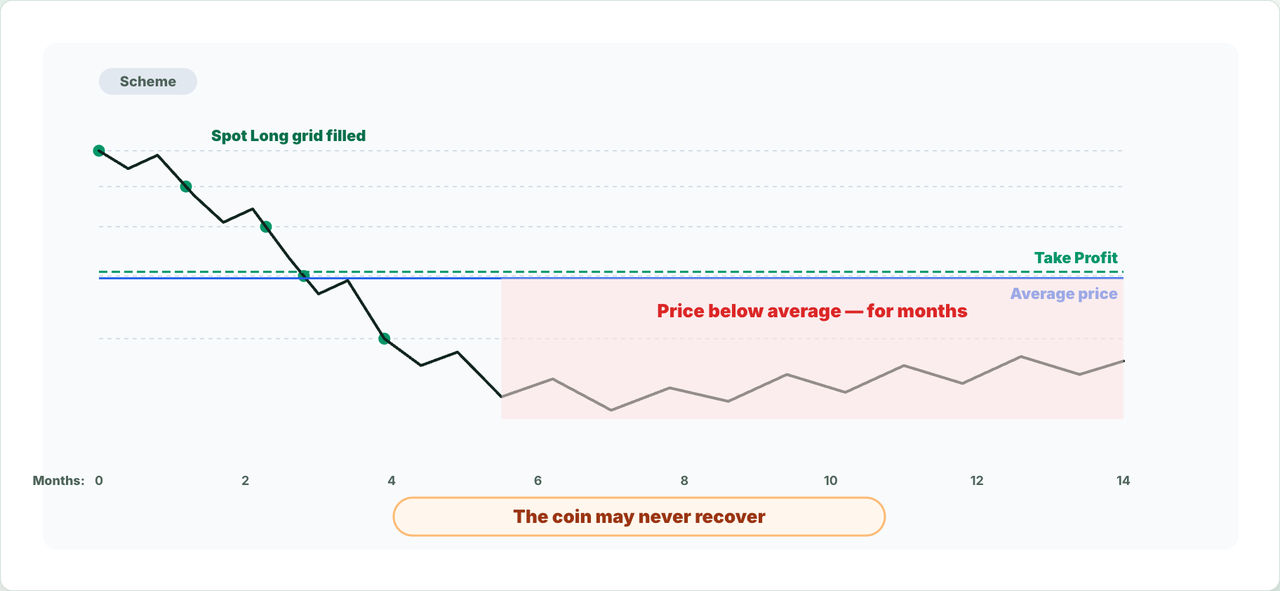
So choose coins for spot bots that you are ready to hold for a long time, and do not keep all your capital in a single coin.
6. How to create a spot bot
- Open “Create a trading bot” and choose a Binance Spot or Bybit Spot key in the “API key” field. The “Leverage” and “Margin mode” fields disappear, and a “Spot trading fees.” hint appears under the key.
- Choose the trading pair and the Long direction.
- Set the DCA grid, the “Bot deposit” in USDT and Take Profit - just like for a regular bot.
- Choose the start signal and click “Create bot”.
Spot Long works like a regular DCA bot: it buys the coin along the grid as the price falls and sells the whole amount (minus the fee) at Take Profit.
7. How Spot Short works
Spot Short also earns when the price falls, but it works differently from a futures short. On futures you do not need the coin for a short - it is a contract. Spot Short sells the coin that is already on your spot balance and later buys it back cheaper.
- The bot sells the first part of the coin at market.
- If the price rises, at each grid level the bot sells the next part - higher and higher.
- When the price drops to Take Profit, the bot buys back all the sold parts. The coin returns to the balance, and the difference stays with you in USDT.
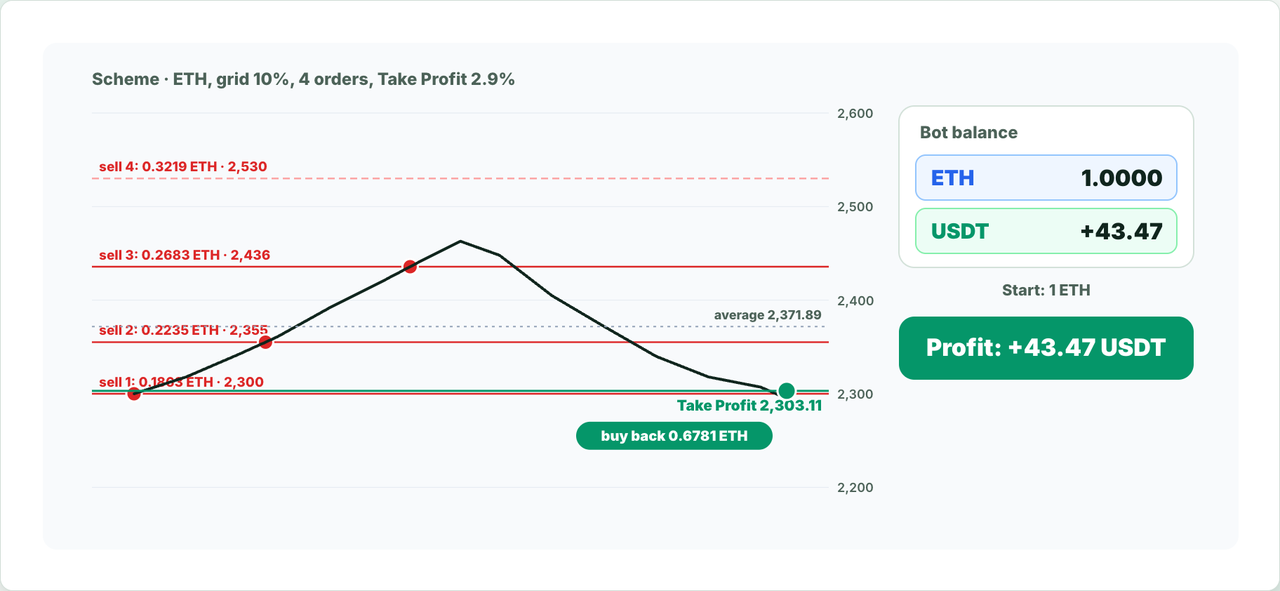
The example from the video: 1 ETH is allocated to the bot, the price is 2,300 USDT, grid 10%, 4 orders, martingale 20%, logarithmic step 1.3, Take Profit 2.9%. The price rose to the third level and came back down:
| Sell order | Price, USDT | ETH | USDT | Filled |
|---|---|---|---|---|
| 1 | 2,300.00 | 0.1863 | 428.49 | yes |
| 2 | 2,355.14 | 0.2235 | 526.37 | yes |
| 3 | 2,435.77 | 0.2683 | 653.52 | yes |
| 4 | 2,530.00 | 0.3219 | 814.41 | no |
- 0.6781 ETH sold at an average price of 2,371.89 USDT.
- Take Profit is 2,303.11 USDT, 2.9% below the average.
- The bot buys back 0.6788 ETH (with a reserve for the fee) - 1 ETH is back on the balance.
- About +43.47 USDT remain after fees - that is the trade’s profit.
Spot Short in the form
Choose a Binance Spot or Bybit Spot key and the Short direction. The “Bot deposit” is now entered not in USDT but in the base coin - for example, 1 ETH: the amount of coin the bot may sell across the whole grid. The form reminds you that the coin must already be on your spot account, shows “Available for Spot Short” and compares the deposit with your balance.
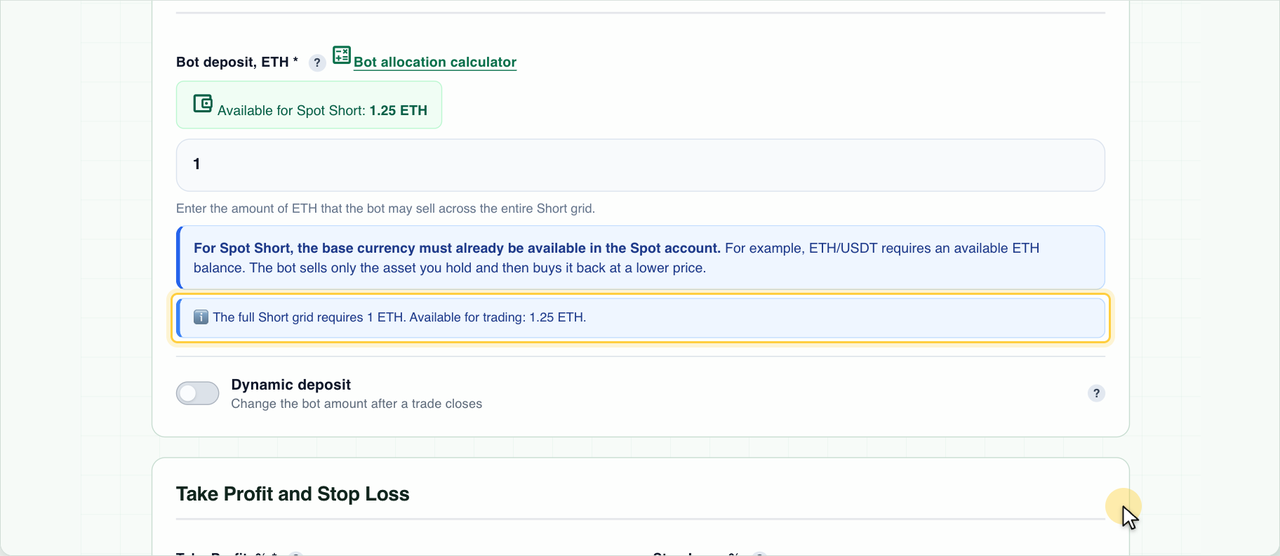
At start, the bot checks that there is enough free coin for the whole grid: the exchange locks the coin for all sell orders at once. If there is less coin, the bot will not start and will report how much is needed and how much is available.
8. The danger of Spot Short
Spot Short is dangerous in a strong rally. Say the price has fallen a lot, and the bot started its grid down there. If the coin goes up and keeps rising, the bot sells it part by part at every level and at some point sells all the allocated coin - only USDT remains on the balance.
| Example (the same grid from 1,600 USDT) | Value |
|---|---|
| Sold | 1 ETH at an average price of 1,685.42 USDT |
| On the balance after fees | ≈ 1,683.73 USDT |
| Take Profit | 1,636.54 USDT |
| The price rose to | 2,210 USDT |
| Buying back 1 ETH now costs | ≈ 2,212 USDT |
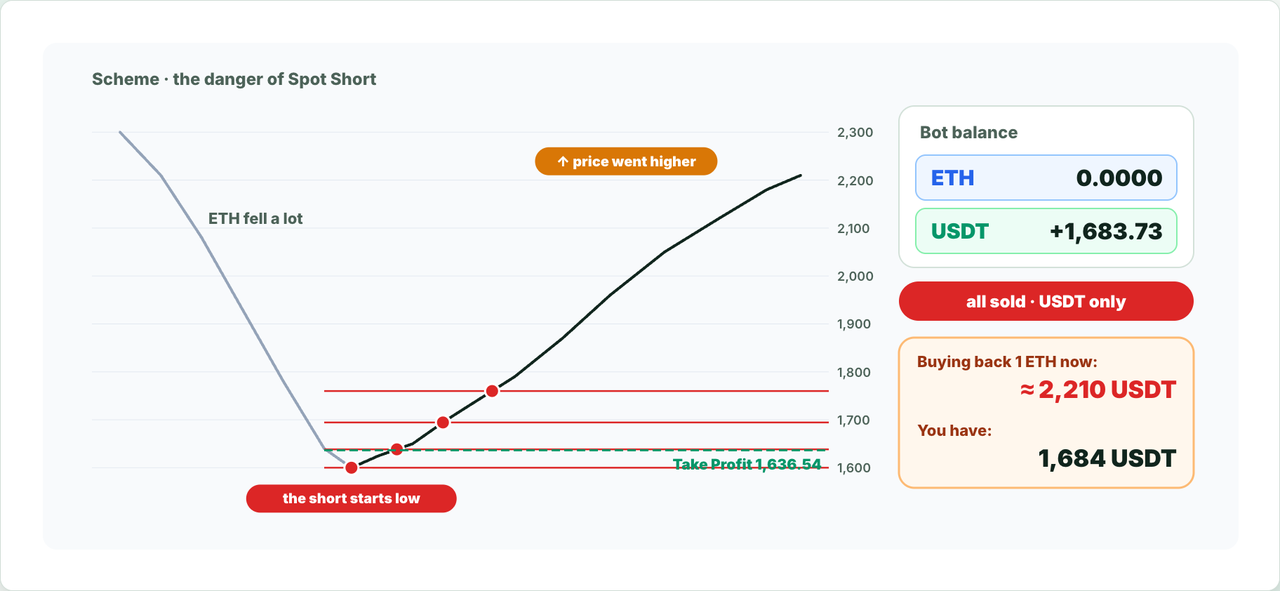
If the price never returns to Take Profit, it turns out the coin was sold cheap, and buying it back costs more. Without a Stop Loss the bot waits for the price to return to Take Profit. If a Stop Loss is set, when the price rises to its level the bot buys the coin back at a higher price and locks in the loss.
9. In short
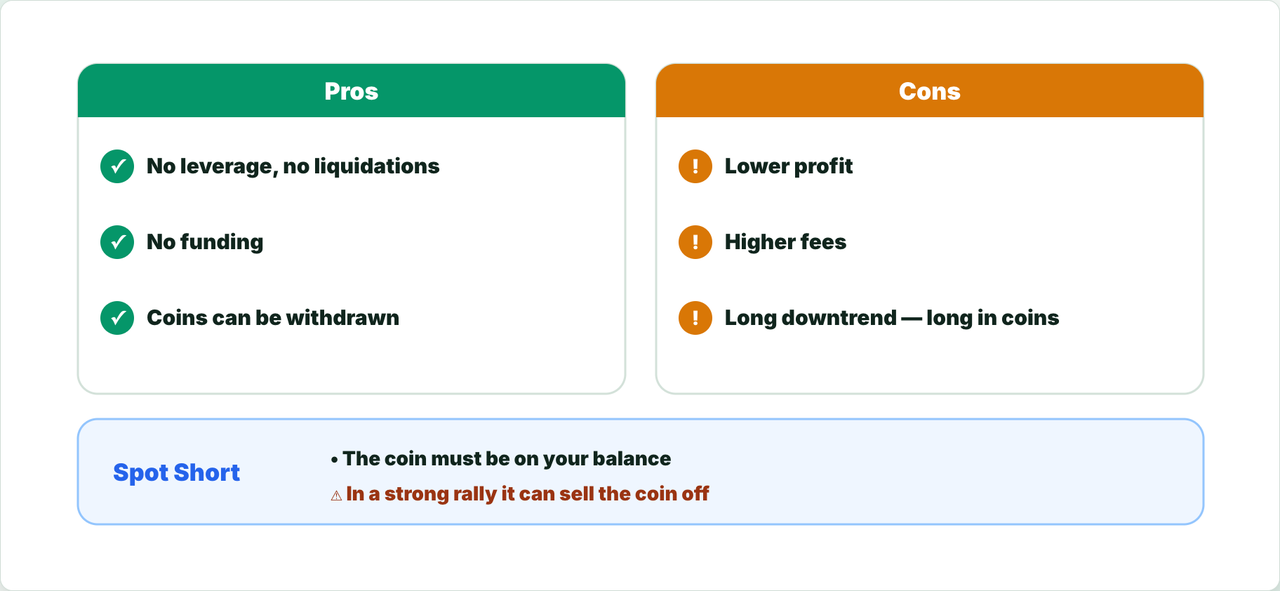
| Pros of spot bots | Cons and risks |
|---|---|
| No leverage and no liquidation | Lower profit than with leverage |
| No funding | Higher fees (0.1%) |
| Bought coins can be withdrawn to your own wallet | In a long decline you can be stuck in coins that lost value for a long time |
| Spot Short earns on a drop without contracts | Spot Short needs the coin on your balance and can sell it all off in a strong rally |
Read also:
Connect Binance Spot
Connect Bybit Spot
The Full Bot Creation Form: DCA Grid Settings, Dynamic Deposit and Editing a Bot
How Much Money per Bot: Deposit, Leverage, Reserve and Trade Limits